
Get Started
Use it individually or combine with eSign for full digital twist.
Supported Services
The Web SDK supports the following Evrotrust products:
- e-Identification - Evrotrust Ident Lite (Enhanced eID)
- e-Signing - OTP eSign (no UI, integrated via API)
User Flow Diagram
We require Web SDK to be integrated into user secured application. Look at the general process flow:
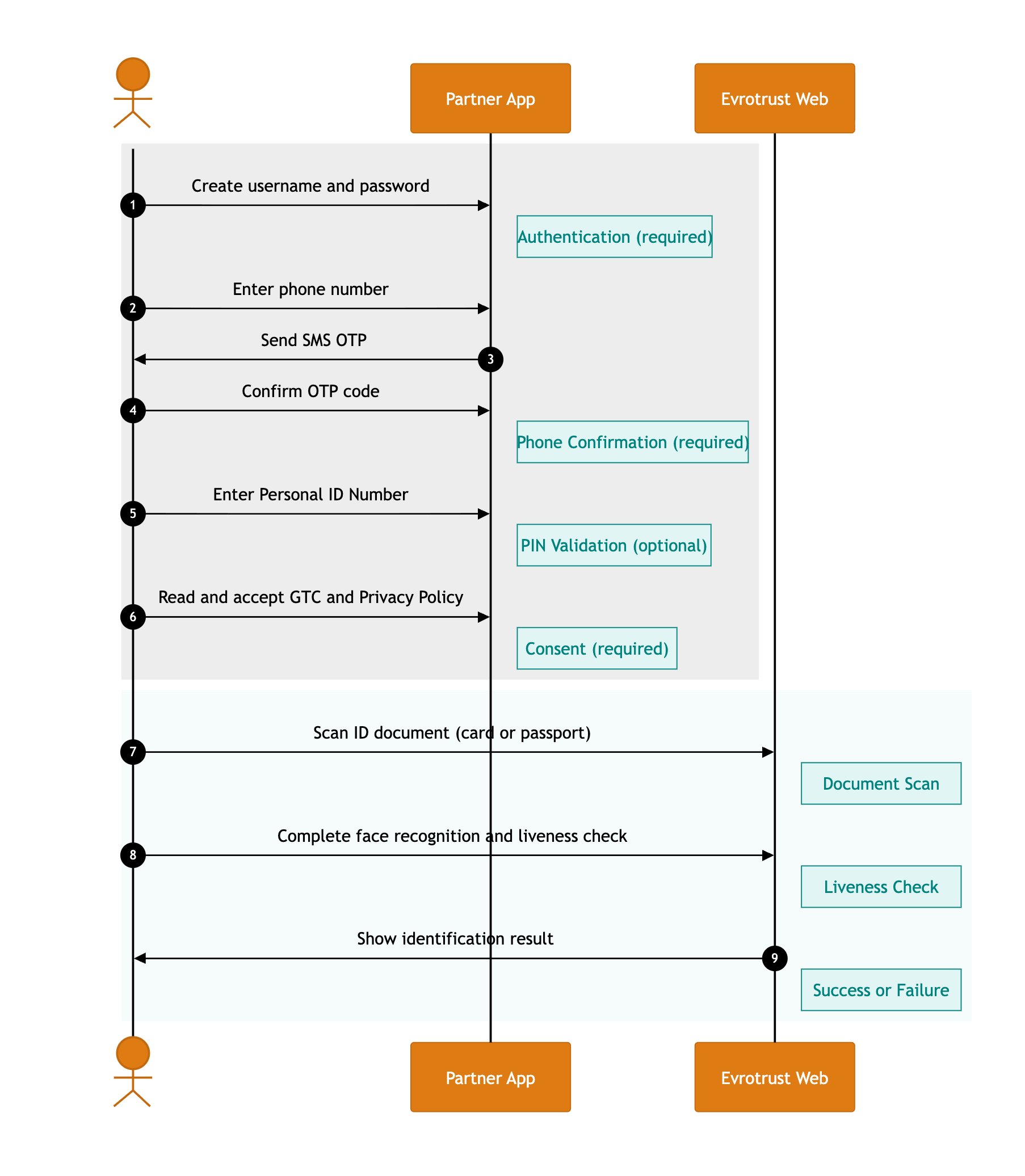
Step 6 - the below URLs must be displayed on screen so users can access and review them. It can be on a dedicated screen, it can be as a part of all other consents that the user reads and agrees for the main application. ❗️The requirement is this step to be completed by the user before Evrotrust Web screens are triggered:
Step 1 to 6 - since Evrotrust Web SDK has limited user screens, ensure that audit logs are saved for the steps on main application screens:
Log Type 1 - Action create authentication
- date & time (UTC)
- result
- unique user identifier/deviceID
- IP address (if taken)
Log Type 2 - Action mobile confirmation via OTP
- mobile phone number entered by the user
- date & time (UTC) send OTP code
- generated OTP code
- unique user identifier/deviceID
- date & time (UTC) mobile phone is confirmed
Log Type 3 - Action PIN entered
- date & time (UTC)
- unique user identifier/deviceID
- PIN entered by the user
- IP address (if taken)
Log Type 4 - Action Agrees with Evrotrust GTC
- consent date & time (UTC)
- unique user identifier/deviceID
- IP address (if taken)
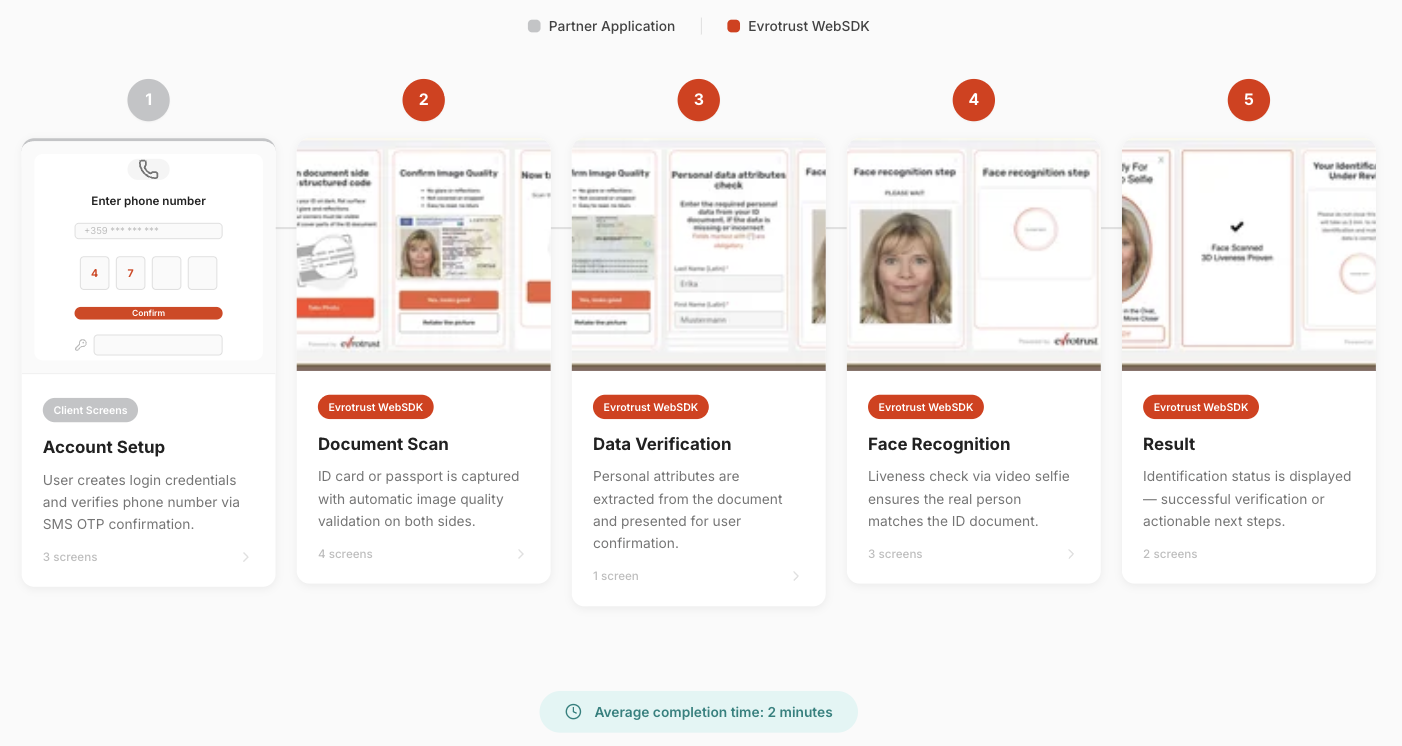
User flow UI
Updated 5 months ago